


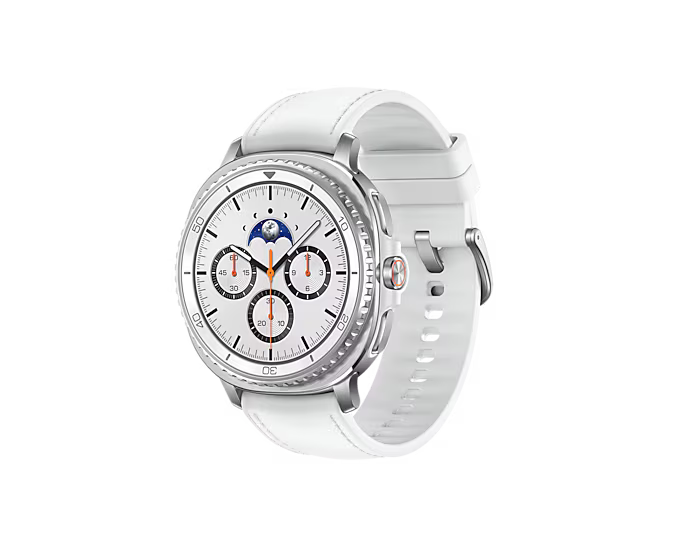
Smart Watch 8 Classic (SAMSUNG WATCH 8 CLASSIC CLONE)
Smart Watch 8 Classic (SAMSUNG WATCH 8 CLASSIC CLONE)

Couldn't load pickup availability
Basic Functions and Controls
-
Power/Return Button: Press and hold to power on. Press once to return to the previous screen.
-
Menu Button: Press once to open the menu. Double-press to change menu style.
-
Sports Button: Press once to open the sports interface.
-
Gear Bezel: Rotate to switch watch faces or scroll through lists.
Swiping Gestures
-
Left: View sports data.
-
Right: Open the Shortcut Bar.
-
Up: Check message notifications.
-
Down: Access the Control Center.
App and Connectivity
Download the FitCloud Pro or Wearfit Pro app from the app store, or scan the QR code shown on the watch or in the manual.
Two ways to connect:
-
First-time connection: When turning on the watch for the first time (or after reset), a QR code and device name appear. Scan the code in the app or select the device name to pair.
-
General connection: On the watch, go to Settings > General > Connect to Phone to display the QR code and device name. Connect using the app.
For Bluetooth calls:
-
Enable Bluetooth Call on the watch.
-
On your phone, connect to the corresponding Bluetooth name.
-
Once paired, you can make/receive calls, play music, and use voice assistant.
Key Features
-
Watch Faces: Choose from built-in dials, download new ones from the app, or upload personal photos for a custom face.
-
Sports: Multiple modes including running (indoor/outdoor), cycling, walking, football, basketball, hiking, and more.
-
Health Tracking: Sleep monitoring, heart rate, blood oxygen, blood pressure measurements, plus guided breathing exercises.
-
Everyday Tools: Weather sync, music and camera controls, phone finder, stopwatch, timer, alarm, calculator, and compass. Supports QR code payments (Alipay) and displaying social QR codes (WeChat, Facebook, WhatsApp).
Cautions
-
Avoid charging in humid or wet environments.
-
Keep the back of the watch and wireless charger clean for proper charging.
-
Use only 5V–1A power adapters from reliable sources (no adapter included).
-
Do not expose batteries to heat or use incorrect battery types (risk of explosion). Dispose of used batteries properly.
Packing Video Before Dispatch
Every order is carefully checked and packed on camera before it leaves our warehouse.
Frequently Asked Questions
Yes! We offer Cash on Delivery across India. You can also pay online at checkout via UPI, cards, or wallets if you prefer.
Orders are dispatched within 24–48 hours of confirmation and typically arrive within 5–7 business days, depending on your location.
Every unit is tested before dispatch and the packing is recorded on video. In the rare case something arrives damaged or defective, we offer a free replacement — just reach out with your order number and a quick video/photo of the issue.
Yes, UrbunPods Pro 3 comes with a warranty covering manufacturing defects. Please refer to our Refund Policy page for full details.
Open the charging case near your phone — a pop-up pairing prompt will appear automatically. Just tap "Connect" and you're ready to go. No app needed.
Yes, we accept returns within our return window as outlined in our Refund Policy. Reach out to our support team and we'll guide you through the process.
Our team is available 10 AM – 5 PM at urbungadgets.in@gmail.com. We usually respond within a few hours.





People won't
shut up
about it.
73 reviews. zero complaints (mostly).
— end of wall —
Customer Reviews


